Housekeeping & tasks
Room status writes the morning list, so you don't have to
Set your room statuses — in bulk, or by importing the arrivals report you already run — and ProfitClock generates the morning's cleaning list from them automatically: full cleans, stayover refreshes, and anything else your property runs. No whiteboard, no printed grid, no "did anyone tell Maria?"
14-day free trial · No credit card · Cancel anytime
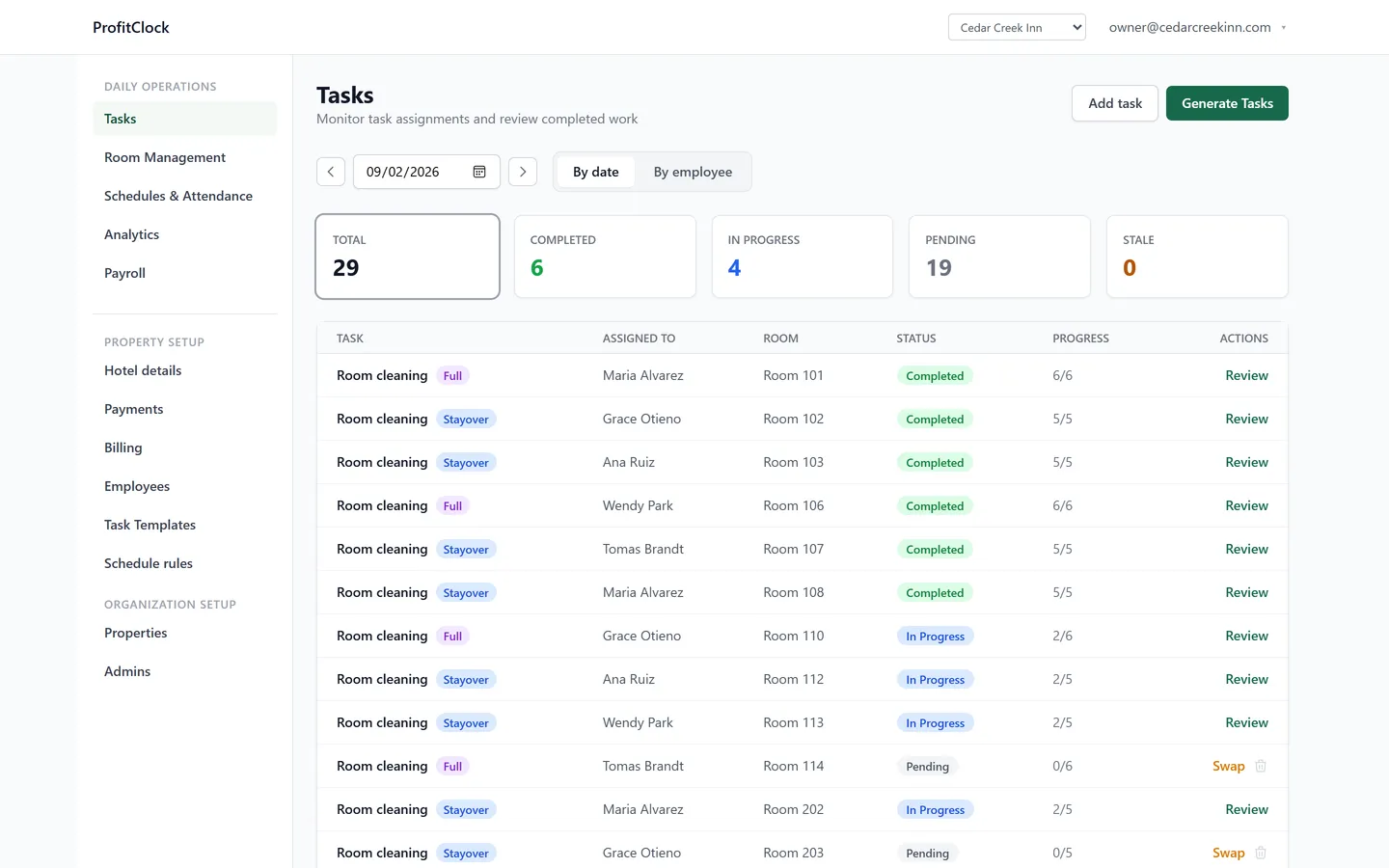
Tasks from room status
Checkout rooms get full cleans; occupied rooms get stayover service — generated automatically and assigned to whoever is on the clock. Set status for a whole floor in one save, or import a housekeeping or arrivals report from whatever system you already run and preview every change before it writes. How room status gets in →
Checklists with photo proof
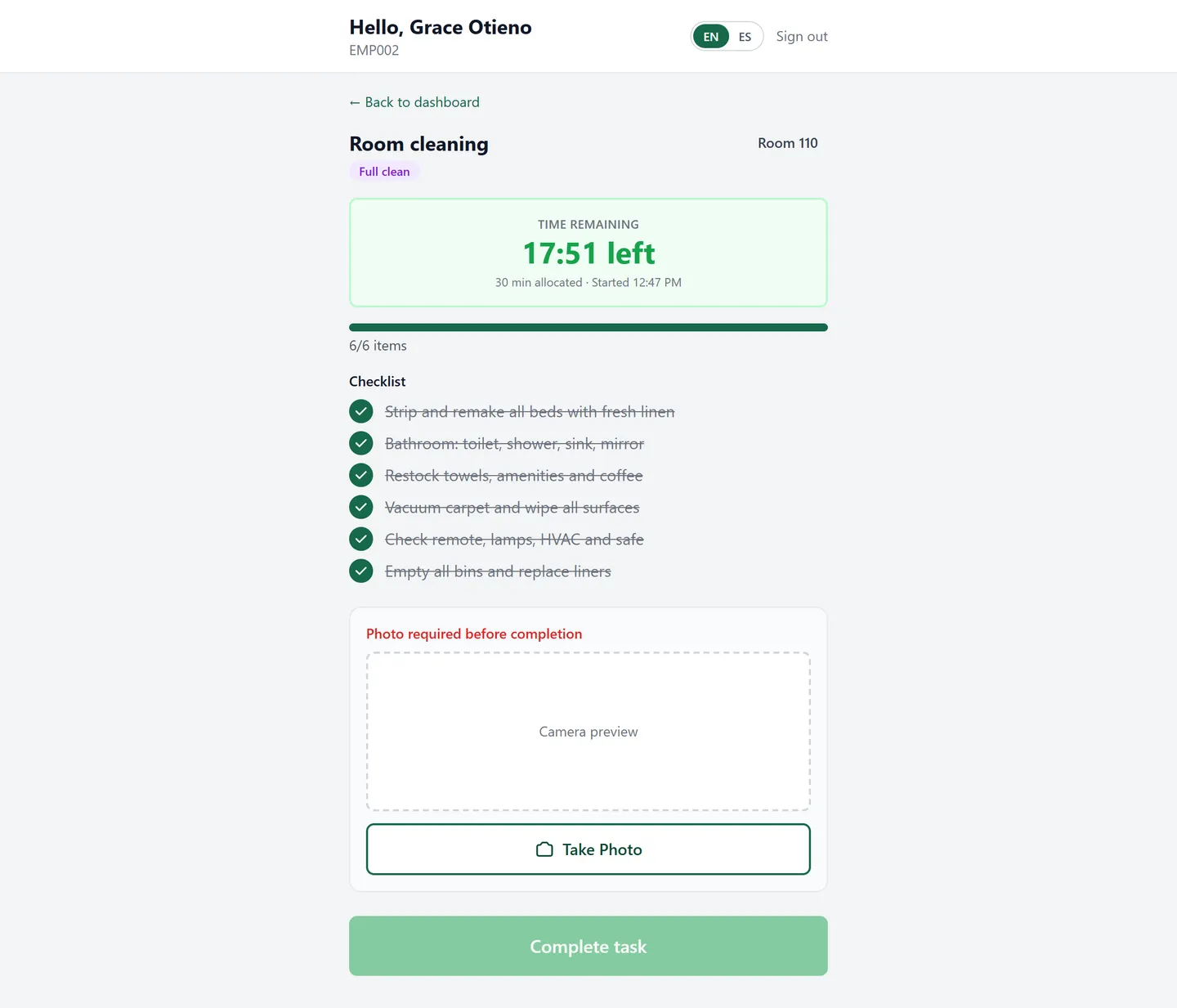
Each room type carries its own checklist — yours to edit, with sensible defaults out of the box. Steps get checked off on the kiosk, photos attach where it matters, and "done" stops being a matter of trust.
Issues that don't get lost
Broken lamp in 114? The housekeeper logs it from the task itself; maintenance sees it immediately; you see it wasn't forgotten. Small problems stop becoming bad reviews.
Fair workloads, realistic schedules
Every clean is timed against the clock your staff already punches, and the estimate it was given is frozen onto the task at creation — so expected and actual stay comparable even after you edit a template. Today that gives you minutes per occupied room, measured at your property rather than read off a printed standard. Breaking it down to "a king stayover here takes 22 minutes, based on 43 cleans" is the next step, and it is in build — but the measurements it needs are being recorded from your first clean, not backfilled later.
- Stayover and full-clean checklists included by default — fully editable per property
- Room types with their own editable time estimates: kings, doubles, suites, kitchenettes
- Task boards on the front-desk kiosk, in the language your team works in
- Every completed task feeds your labor picture — hours next to the work they paid for
Want the checklists without the software? They're free: printable housekeeping checklists (English & Spanish) →
Watch tomorrow's task list write itself
Add your rooms and ProfitClock builds tomorrow's cleaning day from their status. That takes an afternoon, not a project.
14-day free trial · No credit card · Cancel anytime